That's the problem. Many employees have no idea their employer contributes significant value beyond salary, and it's fueling disengagement and turnover that companies could otherwise prevent.
A Total Rewards Statement fixes this by putting the full picture in writing. This guide defines what a TRS is, breaks down exactly what belongs in one, shows what a typical statement looks like, and walks through how any business, large or small, can build one without hiring outside consultants.
Key Takeaways
- A Total Rewards Statement (TRS) shows an employee's full compensation value, not just base pay
- Typical statements include cash pay, health benefits, retirement contributions, paid time off, and extra perks
- Workers often value benefits at just 16% of compensation, well below their true share of total pay
- Small and mid-sized businesses can build TRS reports in-house with affordable software
- Update statements at least annually to reflect raises, new hires, or benefit changes
What Is a Total Rewards Statement?
A Total Rewards Statement (TRS) is a personalized document that shows the complete value of what an employee earns, combining cash pay, employer-paid benefits, and non-cash perks into one summary.
It's easy to confuse this with "total compensation," but the two aren't identical.
- Total compensation covers only monetary elements: salary, bonuses, commissions, and equity
- Total rewards goes further, adding non-monetary value like flexible schedules, professional development, and wellness programs
A TRS isn't a paystub. A paystub lists raw payroll numbers. A TRS is a communication tool, often built with pie charts, summary tables, and plain-language explanations. It's designed for someone with zero HR background to understand in minutes.
Every statement is unique to the employee reading it. Someone enrolled in the health plan but not the dental plan sees only the benefits they actually participate in, nothing generic, nothing they're not eligible for.
Why Employers Build These Statements
Employers create TRS reports to build trust and correct a costly misconception: that a paycheck is "all I get." In EBRI's 2025 Workplace Wellness Survey, workers estimated benefits made up only 16% of their total compensation, well below the benchmark EBRI cited for actual employer benefit spending. That gap between perception and reality is exactly what a Total Rewards Statement is designed to close.
What's Included in a Total Rewards Statement?
Included sections vary by employer, and some categories appear only when an employee qualifies for them. Most statements still fall into five buckets.
1. Cash Compensation
- Base salary or hourly pay
- Bonuses, commissions, overtime, and hazard or certification pay
- Retroactive pay corrections, when applicable
2. Health & Insurance Benefits
- Employer-paid dollar value toward medical, dental, and vision premiums
- Employer contributions toward life insurance
3. Retirement & Statutory Contributions
- 401(k) or retirement plan contributions and employer matches
- Employer-paid Social Security and Medicare contributions
4. Leave & Time Off
- Dollar value of accrued vacation and sick leave
- Vacation is often payable at termination; sick leave typically is not
5. Additional Perks & Non-Quantifiable Benefits
- Tuition assistance, wellness stipends, commuter benefits
- Employee assistance programs
- Flexible schedules and professional development (non-monetary but still valuable)
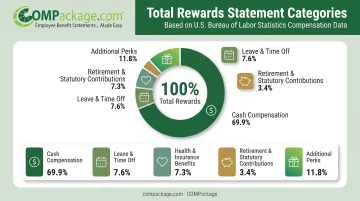
The U.S. Bureau of Labor Statistics' March 2026 Employer Costs for Employee Compensation report shows where employer dollars go in private industry:
| Compensation Component | Employer Cost/Hour | Share of Total Pay |
|---|---|---|
| Wages and salaries | $32.60 | 69.9% |
| All benefits | $14.01 | 30.1% |
| Paid leave | $3.54 | 7.6% |
| Health insurance | $3.41 | 7.3% |
| Retirement & savings | $1.57 | 3.4% |
That means for every dollar in wages, employers are adding roughly 43 more cents in benefits value that most employees never see itemized. COMPackage includes over 80 pre-built benefit categories—from mandated items like workers' compensation and unemployment insurance to perks like company phones and childcare assistance. HR teams can reflect this level of detail without building a statement from scratch.
What Does a Total Rewards Statement Look Like?
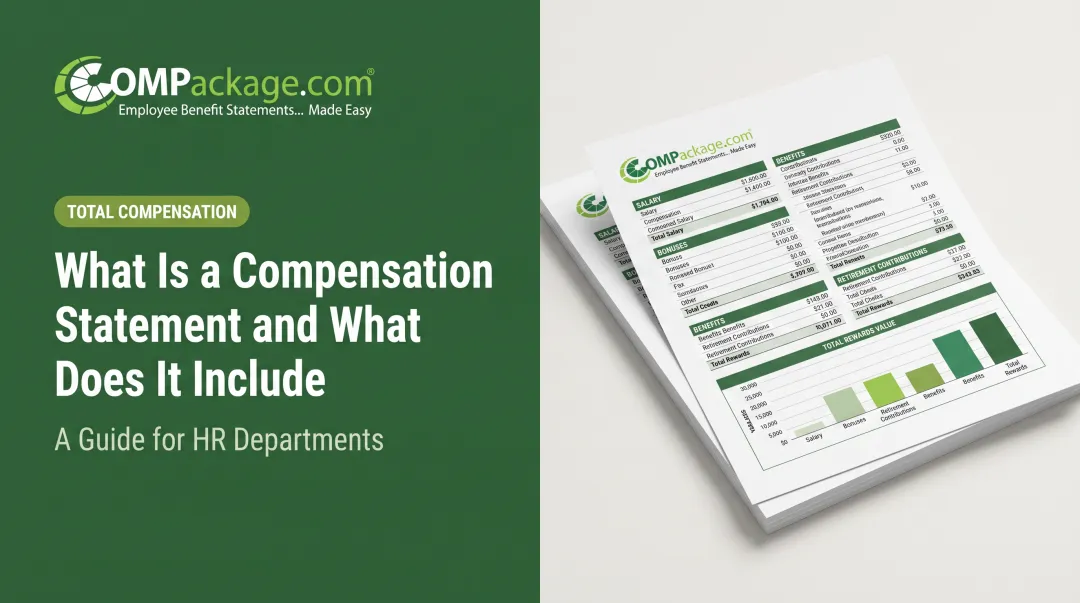
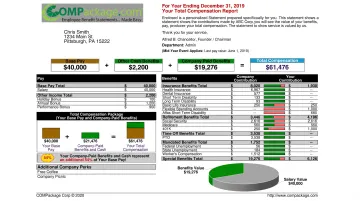
Most statements follow a predictable layout, and that consistency is intentional. Employees shouldn't have to hunt for information.
Typical structure:
- Employee snapshot at the top: name, title, department, location
- Summary page totaling cash pay plus benefit value
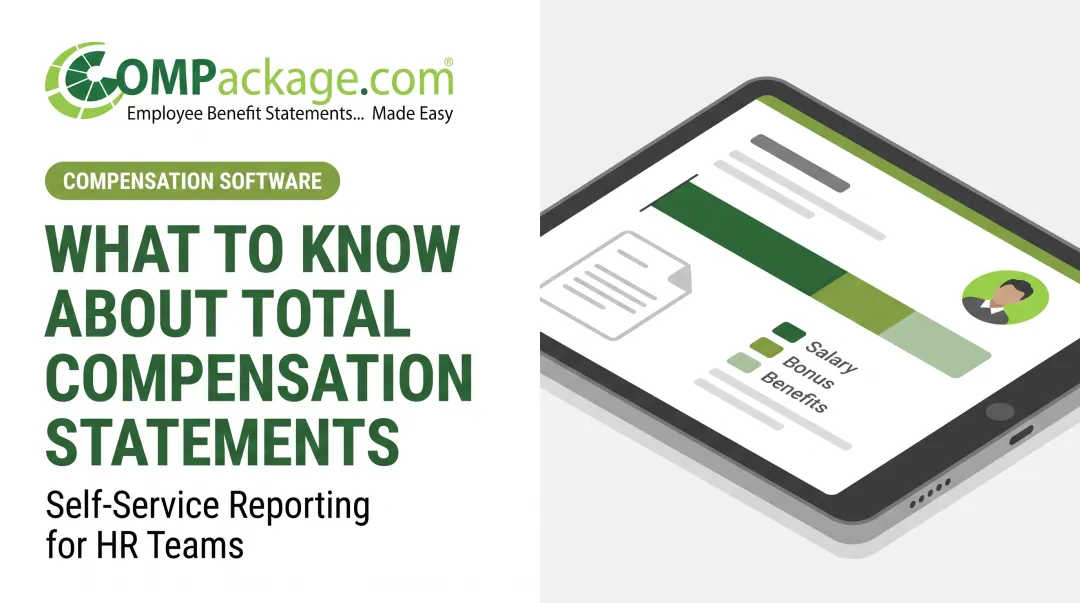
- Visual breakdown, usually a pie chart or bar graph, showing salary versus benefits as a proportion of total compensation
Most companies deliver modern statements digitally. Print still shows up at smaller firms and for year-end reviews.
Branding matters more than people expect. A generic spreadsheet feels like an afterthought. A statement with the company logo and color scheme reads as an official message from leadership.
COMPackage lets businesses customize both. Up to 23 benefits fit on a single page before extras roll to a second page, so the layout stays clean instead of crowded.
When an outside advisor builds statements for multiple employers, layout control has to scale. COMPackage’s Professional tier supports multi-client management, so benefits consultants and accounting firms can keep separate templates for each client under one account.
Why Total Rewards Statements Matter for Employers and Employees
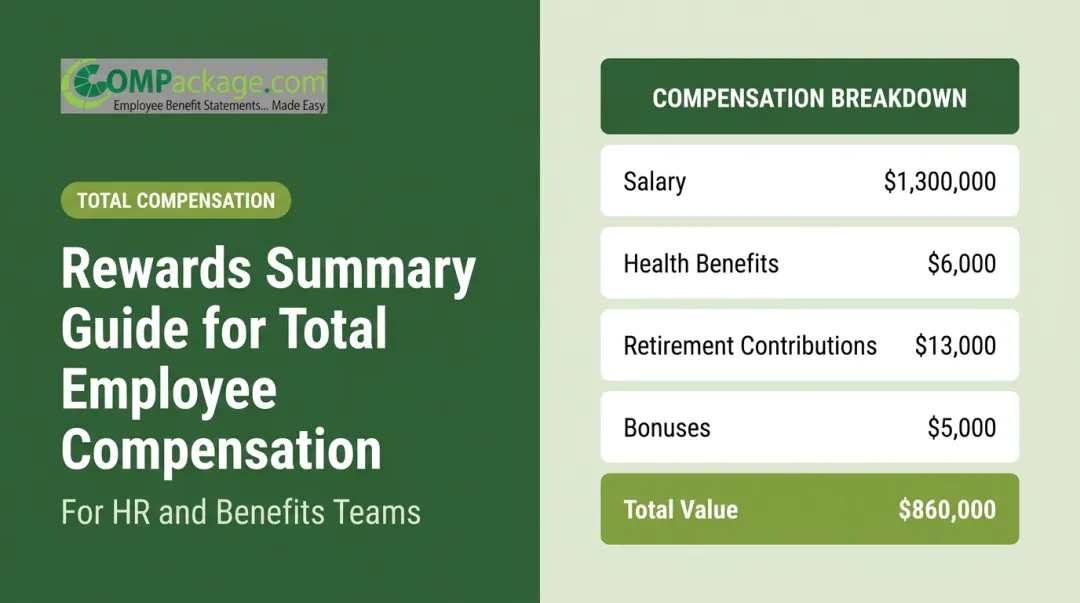
For employees, seeing the full value of their package changes how they evaluate a competing job offer. A $3,000 raise elsewhere looks a lot less appealing once someone realizes they'd lose a $6,000 health insurance subsidy and a 4% 401(k) match in the process.
For employers, a TRS is one of the lowest-cost retention tools available, and it doubles as a recruiting asset. Candidates evaluating an offer letter rarely see the full value of a package until someone spells it out.
Understanding benefits and staying put are tightly linked. MetLife's 2023 employee benefits study found:
- 50% of employees said better benefits understanding would make them more loyal to their employer
- 76% of employees who already understood their benefits well reported being happy in their role
- Only 47% of those who didn't understand their benefits said the same
That's a nearly 30-point happiness gap tied directly to whether someone knows what they're getting. A TRS is the most direct way to close it.
How to Create a Total Rewards Statement
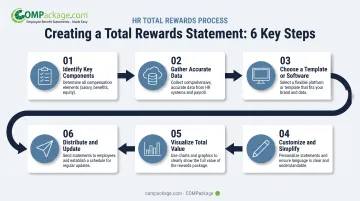
Building a total rewards statement (TRS) used to mean hiring a consultant and waiting weeks. That's no longer necessary for most businesses.
Identify key components. Decide which pay and benefit categories apply to your workforce, and make sure they align with your broader compensation strategy.
Gather accurate data. Pull current salary, benefits enrollment, and contribution figures for each employee. Cross-check payroll and benefits systems so numbers match.
Choose a template or software solution. Skip manual spreadsheets—they're slow and error-prone. Self-service tools like COMPackage let you import employee data in bulk and generate full reports in-house, without a consultant.
Customize and simplify. Use plain language for each benefit line item. Look for software that allows manual edits, so if one employee's benefit detail changes, you're not rebuilding the entire report.
Visualize total value. Present a clear chart showing how salary and each benefit category stack up to total compensation.
Distribute and update. Deliver statements company-wide, digitally or in print, and plan to refresh them at least annually or whenever pay and benefits change.
Once you pick a platform, cost and turnaround matter as much as features. COMPackage prices by employee-count tier and is built for teams from a handful of people up to multi-client consultants:
- $149/year for very small teams
- $699/year around 50 employees
- $1,699/year around 150 employees
- $2,999/year for unlimited Professional (multi-client use)
With bulk import and built-in calculators, a full employee census can be done in under 90 minutes. Reports rerun free for the 365-day license, so a raise or new hire doesn't mean starting over.
Frequently Asked Questions
What is a total rewards statement?
It's a personalized summary of an employee's full compensation value—salary, benefits, and perks—presented in a clear format that goes beyond a standard paycheck.
How do I view my total rewards statement?
Most employees view it in their company's HR or employee self-service portal. Others receive a printed or digital copy from HR—ask your HR team if you haven't gotten one recently.
What does a total rewards statement look like?
It typically starts with an employee summary section, followed by itemized pay and benefit categories, and closes with a visual chart showing total compensation value. Layout and branding vary by employer.
What is the difference between total rewards and total compensation?
Total compensation covers only monetary pay, like salary, bonuses, and equity. Total rewards includes both monetary pay and non-monetary benefits, such as flexible schedules and wellness programs.
How often should a company update its total rewards statements?
At least once a year, ideally at year-end or the start of a new year. Statements should also be refreshed whenever there's a raise, promotion, or benefits change.
Who is responsible for creating a company's total rewards statements?
HR typically owns the process, but self-service software lets teams generate accurate reports in-house without hiring outside consultants or benefits specialists.