Between health insurance premiums, retirement matches, paid time off, and employer-paid taxes, companies routinely spend thousands of dollars per employee that never show up on a pay stub. Employees underestimate their real earnings. Employers, meanwhile, struggle to communicate just how much they're actually investing.
That gap is expensive for both sides. Workers undervalue their jobs and start browsing job boards. Employers pour money into benefits nobody notices or appreciates.
This guide breaks down what a total compensation statement actually is, what belongs in one, why it matters, and how businesses can build one without burning a week of HR's time.
Key Takeaways
- Benefits make up roughly 30% of total compensation for private-industry workers, according to BLS data
- Total compensation statements make hidden employer costs visible so employees see their full pay value
- Personalized statements beat generic company-wide lists because each employee only sees benefits that apply to them
- Self-service software can produce a full employee census in hours instead of weeks
- Annual delivery plus a real conversation works better than an emailed PDF alone
What Is an Employee Benefit Statement?
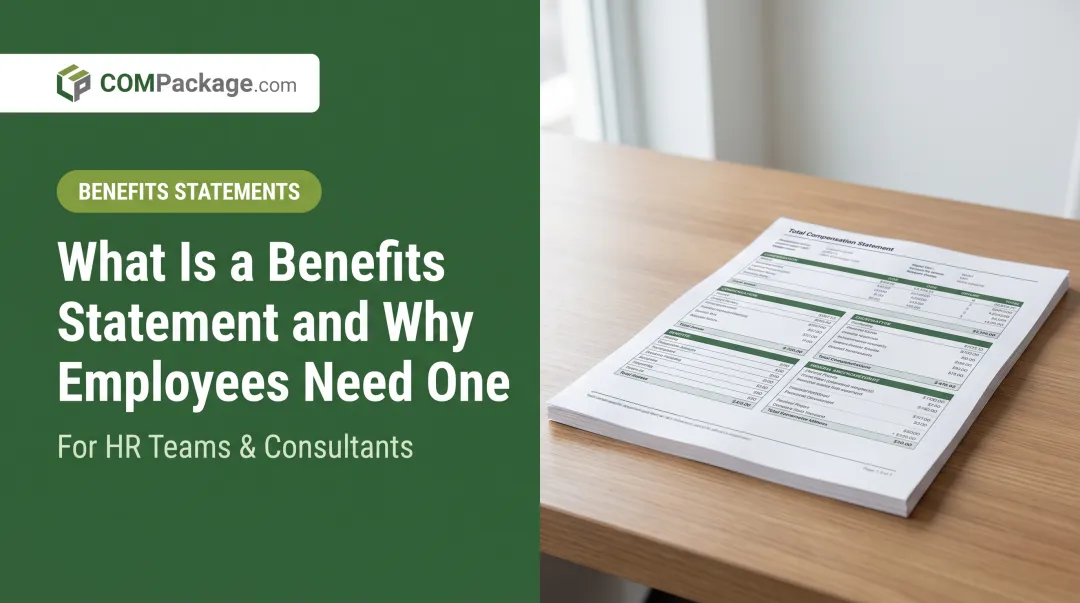
A benefit statement, often called a Total Compensation Statement, summarizes everything an employer pays on an employee's behalf, not just their take-home pay. It captures the full financial picture: salary, bonuses, insurance premiums, retirement contributions, paid leave, and employer-paid taxes.
Most of these costs are invisible to employees. Nobody sees the check an employer writes to a health insurer. Nobody tracks the employer's 401(k) match line by line. A well-built statement puts all of it in one place.
The Names Vary, But the Concept Doesn't
You'll see this document called a few different things depending on the industry:
- Total Compensation Statement — the most common term, covering wages plus benefits
- Benefits Statement — sometimes used interchangeably, sometimes narrowed to just benefits
- Total Rewards Statement — a broader term that can include intangibles like career development and flexibility
Eligibility for these statements isn't standardized either. Some companies issue them to every employee. Others limit distribution to specific classes, such as full-time staff or retirement-eligible groups.
The Numbers Behind the Gap
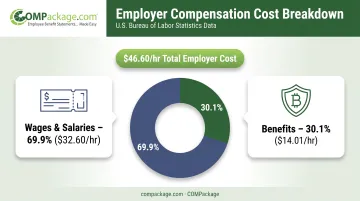
Pay and true compensation are farther apart than most people think. According to the Bureau of Labor Statistics' Employer Costs for Employee Compensation report, private-industry workers received:
- 69.9% of total compensation as wages and salaries ($32.60 per hour)
- 30.1% as benefits ($14.01 per hour)
- $46.60 per hour in total employer cost
That means nearly a third of what employers spend on their workforce never appears in a paycheck. Total compensation statements close that gap by showing employees the full value of what they receive—not just their paycheck.
Key Components Included in a Compensation Statement
A complete statement covers four buckets. Miss one, and the numbers understate reality.
Direct Compensation
This is the part employees already understand:
- Base salary or hourly wages
- Overtime pay
- Bonuses and commissions
- Other performance-based pay
Indirect Compensation and Benefits
Here's where the invisible spending starts showing up:
- Health, dental, and vision insurance premiums
- Retirement plan contributions, including 401(k) matches
- Paid time off — vacation, sick leave, and holidays
- Life and disability insurance premiums
Employer-Paid Taxes and Mandatory Costs
Employees rarely realize their employer is paying these on top of their salary:
- Social Security (employer FICA portion)
- Medicare
- Unemployment insurance
- Workers' compensation
Additional Benefits and Perks
Some carry a clear dollar value; others are harder to price but still belong on the statement:
- Tuition or professional development support
- Wellness programs
- Fringe benefits such as company cell phones or free parking
- Flexible schedules and workplace culture (non-quantifiable, still worth listing)
A statement that lists every possible benefit a company offers, regardless of who actually receives it, misses the point. The best statements only display benefits relevant to that specific employee. A part-time worker without a 401(k) match shouldn't see one on their report.
Personalizing that many categories per employee is the hard part. COMPackage handles it with more than 80 pre-built benefit category templates, spanning insurance, retirement, time-off, and fringe perks. Only categories that apply to that individual appear on their report, so statements stay accurate instead of padded with irrelevant line items.
Why Total Compensation Statements Matter
For Employees
A compensation statement gives employees context they simply don't have otherwise. It helps them:
- Evaluate a job offer against what they're currently earning
- Understand what a raise actually adds in total value, not just salary
- Compare their package to market alternatives with real numbers
There's an emotional layer too. Seeing $14,000 in annual employer contributions spelled out changes how someone feels about their job, even if their salary hasn't moved.
For Employers: A Retention Lever
Transparency around pay has a measurable effect on whether people stick around. Payscale's Retention Report, based on responses from more than 578,000 U.S. workers, found that pay transparency was associated with a 30% decrease in intent to quit when analyzed in isolation.
That said, transparency alone isn't a silver bullet. The same study found perceptions of fairness, culture, and manager relationships mattered even more. A compensation statement works best as one piece of a broader trust-building effort, not a standalone fix.
For Employers: A Recruiting Tool
Compensation statements aren't just for current staff. Employers can generate a preliminary report for a candidate during the interview process, then rerun it once the offer is finalized. This lets candidates see the full value of an offer, not just the base salary line.
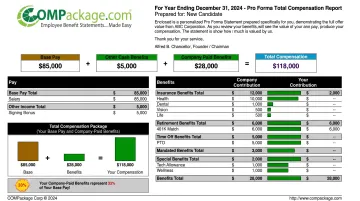
COMPackage's customers use this exact workflow: build a pro forma report at a recruiting event or shortly before an interview, then update it for the final offer without extra cost. For a candidate weighing two job offers with similar salaries, a report showing an additional $12,000 in health coverage and retirement matching can be the deciding factor.
Consistent, clear reporting over time also signals something candidates and employees both notice: the company is investing in a career path, not just a paycheck.
What Does an Example Benefit Statement Look Like?
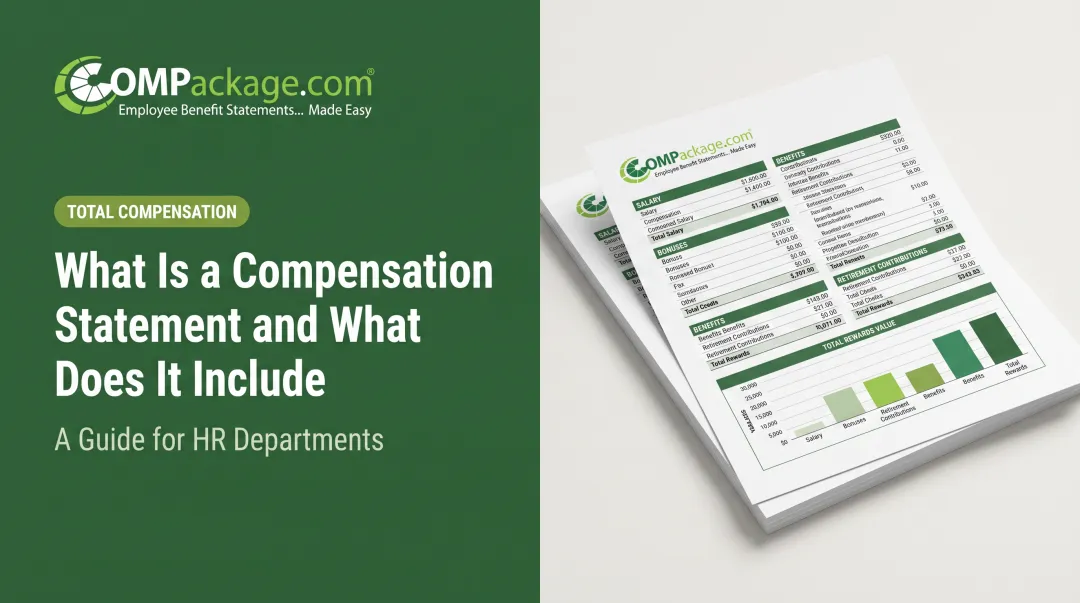
Most statements follow a predictable structure, whether they're built in a spreadsheet or generated through software:
- Header section — employee name, date, and sometimes tenure
- Base pay section — salary or hourly wage, plus bonuses or commissions
- Benefits breakdown table — insurance, retirement contributions, PTO value, and other perks
- Employer-paid tax contributions — FICA, Medicare, unemployment insurance, workers' comp
- Total compensation summary — the final number combining everything above
A Simple Illustration
Picture an employee earning a $55,000 base salary. Layer on typical employer-paid costs and the total climbs quickly:
- Health insurance: $8,400
- 401(k) match: $2,200
- Paid time off value: $4,200
- Employer-paid taxes (FICA, Medicare, unemployment): ~$4,500
That brings total compensation to roughly $74,300—about 35% above base pay. The gap between the paycheck number and that full figure is exactly what these statements are designed to reveal.
Strong statements also go beyond a plain table. Charts, color coding, and company branding make the figures easy to scan. A pie chart showing "38% of your total pay comes from benefits" hits harder than a spreadsheet row.
How Employers Can Create Compensation Statements
Employers usually build compensation statements one of two ways: by hand in spreadsheets, or with dedicated software. Time, accuracy, and cost differ sharply between them.
The Manual Approach
Plenty of smaller employers still build these statements using spreadsheets or mail-merge templates. It works, but it comes with real costs:
- Time-consuming to build and update, especially at scale
- Error-prone when data has to be entered by hand
- Difficult to personalize for dozens or hundreds of employees individually
The Software Approach
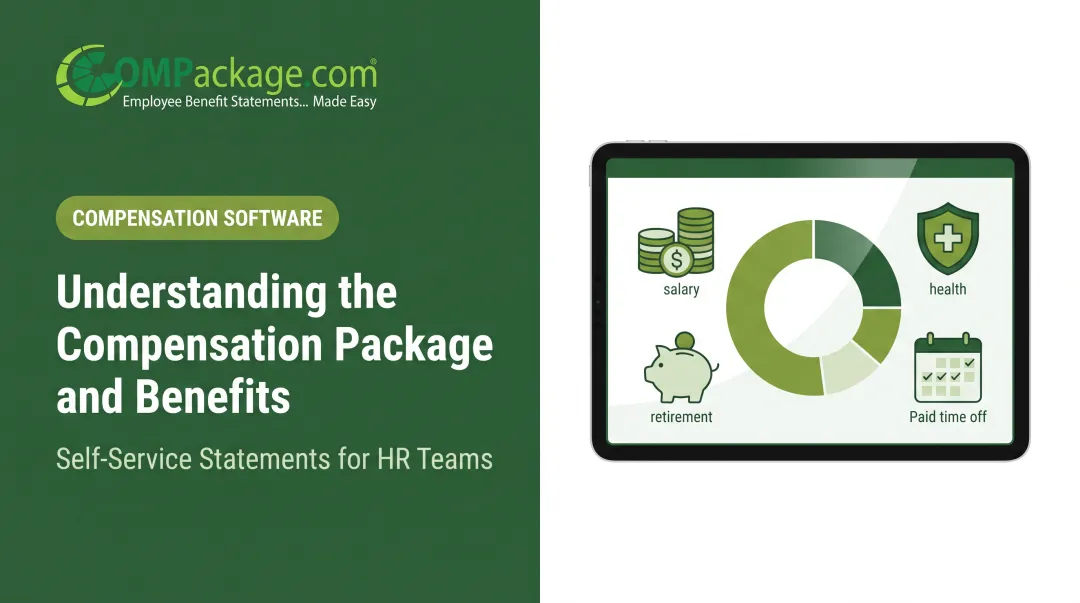
Self-service platforms remove most of that friction. COMPackage, for example, lets businesses:
- Import employee data in bulk through its Employee LOADER, mapping Excel columns to the software's fields
- Auto-calculate benefit values using built-in calculators for insurance, time-off, 401(k), and government-mandated costs
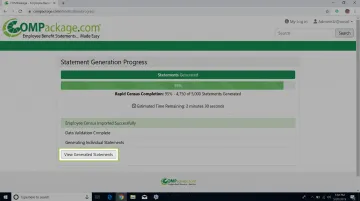
- Generate a full census of statements in hours rather than weeks
With COMPackage, individual statements typically take 5 to 7 minutes, and a full census can finish in under 90 minutes—versus days or weeks when built by hand.
What to Look for in Either Method
Whichever approach a business chooses, a few things matter:
- Customization: company logo and branded colors, not a generic template
- Editability: the ability to correct or update benefit details at any time
- Free updates: reports adjustable throughout the year as benefits change, without extra fees
COMPackage includes free mid-year updates and edits with every subscription. That matters most when packages shift mid-year, such as adding an insurance tier or raising a 401(k) match.
Best Practices for Rolling Out Benefit Statements
How you deliver benefit statements shapes whether employees notice the full value of their package. A few habits make the difference.
- Time the rollout. Distribute statements annually at year-end or the start of a new year, reflecting the prior year's earned compensation. Update mid-year when benefits change.
- Personalize every statement. Include each employee's name and tenure, and show only the benefits that apply to them. Drop irrelevant line items so the report stays specific to their package.
- Talk through the numbers. Don't just email a PDF and move on. Pair the statement with a short conversation in a one-on-one or year-end review so each line item has context. A number alone is easy to skim past.
Frequently Asked Questions
What is an example of an employee benefits statement?
A typical statement opens with base pay, then itemizes employer-paid benefits—health insurance, retirement match, PTO value—plus payroll taxes the company covers. A total compensation figure at the bottom shows wages and benefits together; formats vary by company size and industry.
What is the difference between a benefit statement and a total compensation statement?
The terms are often used interchangeably. Technically, "benefit statement" can refer narrowly to benefits alone, while "total compensation statement" includes wages plus the full value of benefits.
How often should companies send compensation statements to employees?
Annually is the standard cadence, typically at year-end or the start of the new year. Companies with frequently changing benefits often update statements mid-year as well.
Do small businesses need to provide total compensation statements?
They're not legally required, but small businesses still gain from providing them. Statements help smaller employers compete for talent and show employees the full value of a leaner benefits package.
What percentage of an employee's total compensation typically comes from benefits?
According to Bureau of Labor Statistics (BLS) data, benefits make up about 30.1% of total compensation for private-industry workers, with wages accounting for the remaining 69.9%.
Can compensation statements be customized for each employee?
Yes. Modern software solutions, including COMPackage's Report Builder, automatically customize each statement so only benefits relevant to that specific employee appear on their report.